The friendly scheduling tool · Early Access
Scheduling that doesn't cost you.
Free scheduling tool with automatic Google Meet · for freelancers, coaches & consultants
Share a booking link. Your guest picks a time, a Google Meet appears in both inboxes — done. Free for freelancers, coaches, and consultants who'd rather be doing the work. No credit card, no $15/month.
Free during early access No credit card Set up in 90 seconds
Quietly used by
Freelancers, coaches, consultants & solo studios — used by people who'd rather be doing the work than scheduling it.
Lantern Studiokindred & co.SOFTHOUSEforecast/labsHearthwood
2,400+
booking links sent this week
47k+
meetings booked
The guest experience
The page your guests
actually open.
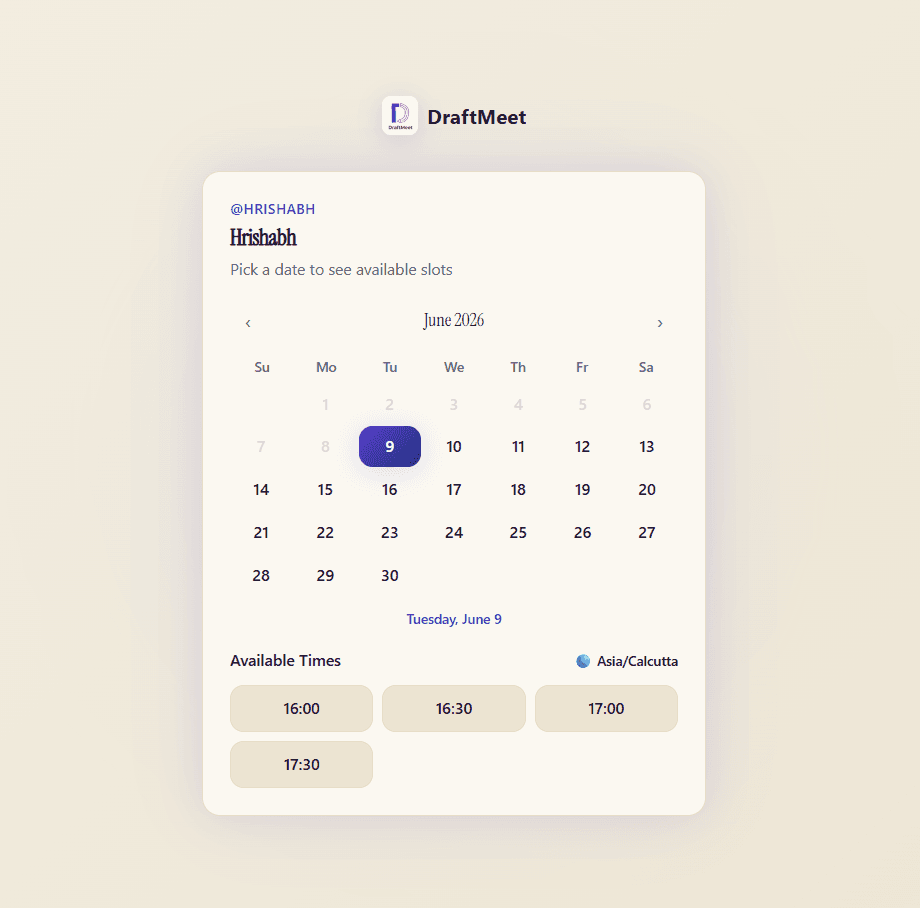
No “Sign up to continue.” No surprise paywalls. Your guest sees a calm, readable page with your name, your face, your meeting — and three taps to book.
No guest account required
Auto-detects their timezone
Reschedule & cancel via magic link
Embeddable on your own site
How it works
From “send me some times”
to “see you Thursday” in three steps.
The whole loop is 90 seconds for you and 20 seconds for your guest.
01 / 03
Draft your link
Pick a duration, name the meeting, set your hours. Generate a one-time link or a permanent page — both free.
02 / 03
Send it like a note
Paste it in an email, a DM, a proposal. Your guest sees only your available slots — in their timezone.
03 / 03
Meet on the dot
A Google Meet is created and dropped in both inboxes. Reminders go out. You just show up.
The whole toolbox
Twenty-seven features. Free during early access —
no card needed.
Most scheduling tools charge for the parts that make scheduling tolerable. We don't.
New one-time link
30-min intro call
15 min
30 min
60 min
draftmeet.com/lnk_a3f8
expires after 1 use
✓
Link used — now expired
Zero double-bookings. Always.
The shorter pitch
What others charge for, we don't.
Feature
DraftMeet
One-time booking links
✓Free
✓Free
✓Free
—N/A
✗Paid
✓Free
Auto Google Meet
✓Free
✓Free
✓Free
✗Paid
✗Paid
✓Free
Booking analytics
✓Free
✗Paid
✗Paid
✗Paid
✗Paid
✗Paid
Custom domains
✓Free
✗Paid
✗Paid
✗Paid
✗Paid
✗Paid
Webhooks & REST API
✓Free
✗Paid
~Limited
✗Paid
✗Paid
✗Paid
Guest cancel/reschedule
✓Free
✓Free
✓Free
✓Free
✗Paid
✓Free
Custom questions
✓Free
~Limited
✓Free
✗Paid
✗Paid
~Limited
White-label branding
✓Free
✗Paid
✗Paid
✗Paid
✗Paid
✗Paid
Embeddable widget
✓Free
✓Free
✓Free
✓Free
✗Paid
✓Free
* Based on free plans. Verified April 2026. Early access — features subject to change.
Built by a real person

Free — not a trial. Actually free.
“Every time I wanted to schedule a meeting, it turned into 6 emails. I tried Calendly — it worked, but put their branding on my page and charged me for the basics. So I built DraftMeet. One link, auto-expiring, Google Meet created instantly.”
HrishabhFounder & solo builder
Frequently asked
Questions you
actually have.
Five honest answers. If yours isn't here, hit reply on the confirmation email — a real human reads them.
Still curious?
How do I create a one-time booking link?
In DraftMeet, open any event type and generate a one-time link. It expires after the first booking — perfect for sending to a single client without exposing your permanent booking page.
Does DraftMeet automatically create Google Meet links?
Yes. When a guest books, DraftMeet auto-creates a Google Meet event and sends the conference link to both parties. No manual step required — the meeting is ready the moment it's booked.
What is the best free Calendly alternative?
DraftMeet gives you one-time booking links, permanent booking pages, automatic Google Meet creation, and booking analytics on its free plan — features Calendly locks behind paid tiers.
What's the difference between a one-time link and a permanent booking page?
A one-time link expires after a single use — ideal for cold outreach or one-off consultations. A permanent booking page lives at a fixed URL you can share anywhere, indefinitely. DraftMeet supports both.
Can I connect DraftMeet to Google Calendar?
Yes. DraftMeet syncs with Google Calendar to read your real-time availability, prevent double-bookings, and write new bookings directly to your calendar — each with a Google Meet link attached.